How to Take Product Orders Without a Full Online Store
Give customers a place to browse and order your products on BBSide. Set prices and quantities, review requests and arrange payment and collection.
A client sees a photo book in your studio and asks whether you can make them one. With BBSide, you can send them a link to the book, with photos, a price and a way to request a copy. The same page can show your other products and let clients book a session. You can start with the handful of items you already sell.
Show exactly what someone can order
Lumen, our demo photo studio, offers this book alongside its portrait sessions:
Fine art photo book · €45 per copy
A 20-page hardcover album made with photos from your session. You can collect it at the studio. Please add your session date to your order so we know which photos to use.
A photo of the cover and an open spread help the customer picture what they’ll take home. The price and pickup details answer the questions they’d otherwise have to message you about.
For products you already have on the shelf, you can set the available quantity in BBSide. A salon can do this for the bottles it has in stock. For products you make to order, use the description to say when you can confirm a collection date.
Review the order and agree on collection
The customer opens the book’s card, chooses a quantity and sends a request with their contact details. They can add a note about their photo session and send the request without making an account.
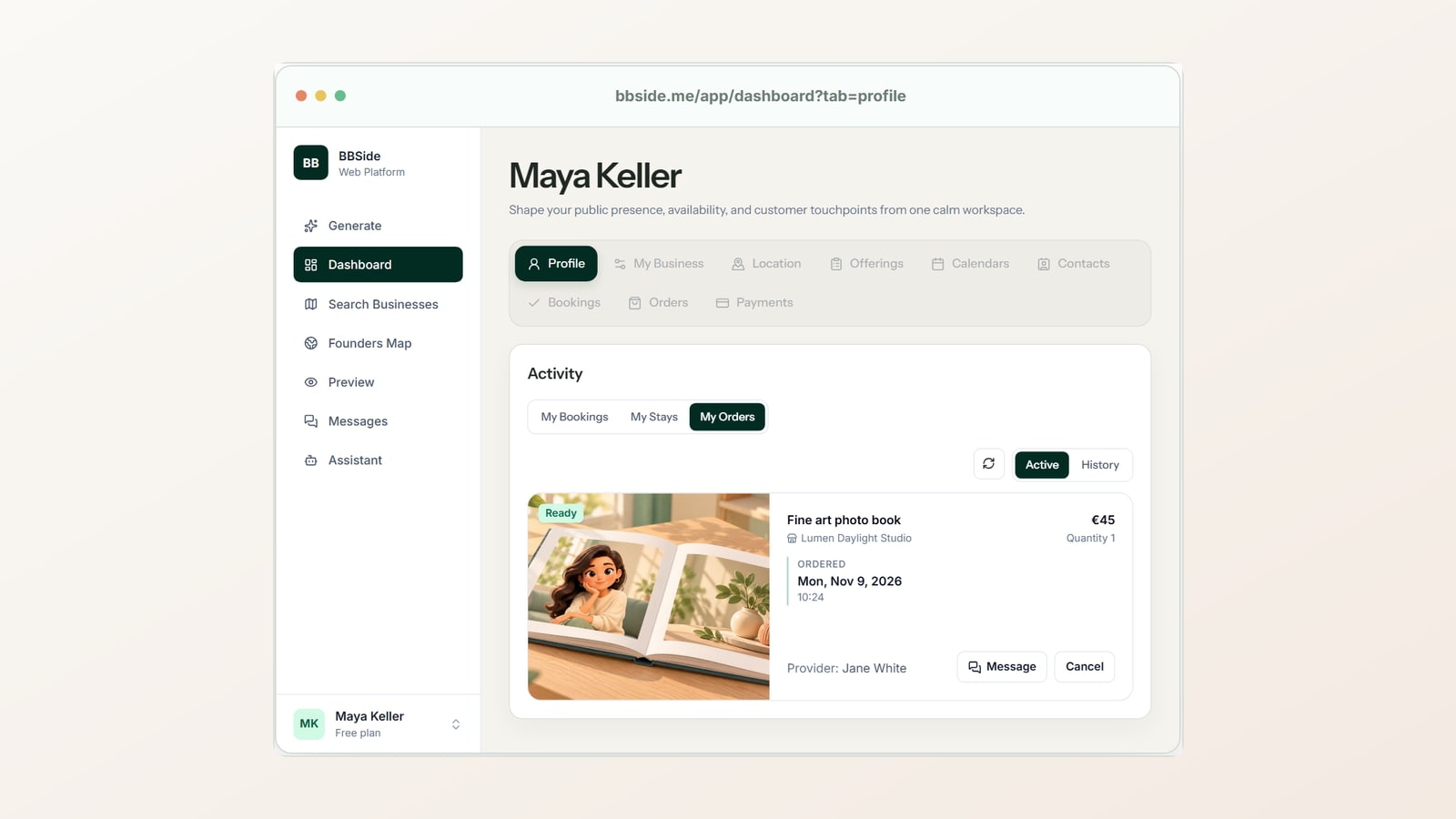
In BBSide, the request arrives under Orders with the product, quantity and customer’s details. The studio checks which photos to use, confirms the order and marks it ready when the book is finished. Tell the customer where and when to collect it, especially if pickup is by appointment.
Take payment when you and the customer are ready
If the customer wants to pay online, connect Stripe and send a payment link for the agreed amount. For two books at €45 each, the studio can send a €90 link. At the counter, it can show the QR code for the same link and let the customer pay from their phone.
The order and payment happen separately. That gives the studio time to check details before asking the customer to pay.
Share the whole range or a single item
Give people your business page when they want to see everything. When someone asks about one item, send its direct link. You can also keep a price list for things people usually ask about while deciding, such as extra retouching or print finishes. Use product cards for the items you want them to be able to order.
See how services and products fit together on a BBSide page.