How to Take Direct Bookings for Your Vacation Rental
Take direct bookings for your vacation rental with BBSide. Publish your apartment, set nightly prices and let guests request dates from one link.
Someone sees your holiday apartment in a friend’s photo and asks if it’s free next month. Send them the BBSide listing. They can see what the apartment looks like, pick their dates and check the price before asking to stay. That gives you a way to take a reservation even if you don’t already have a website.
Put your apartment on a page guests can use
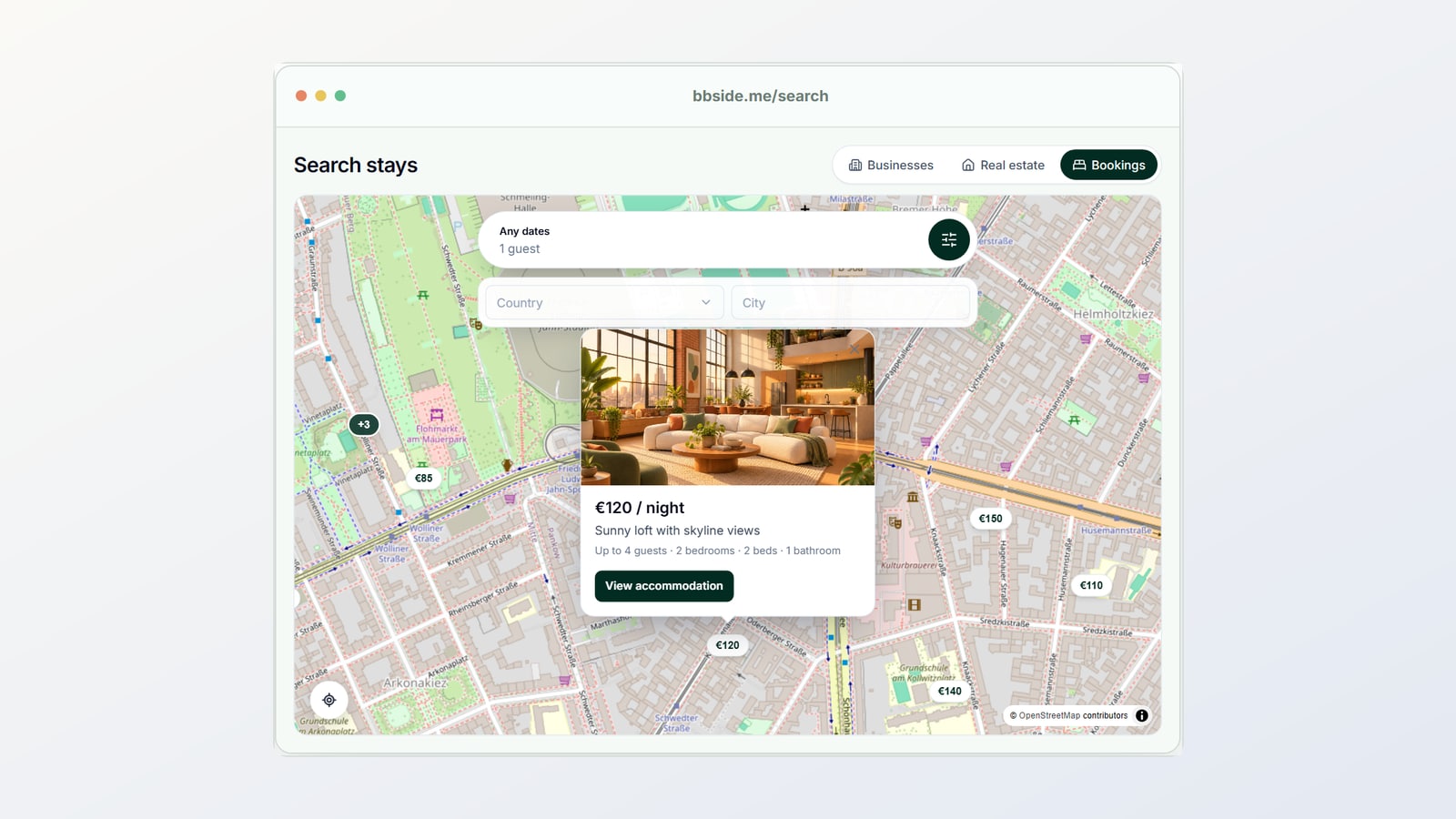
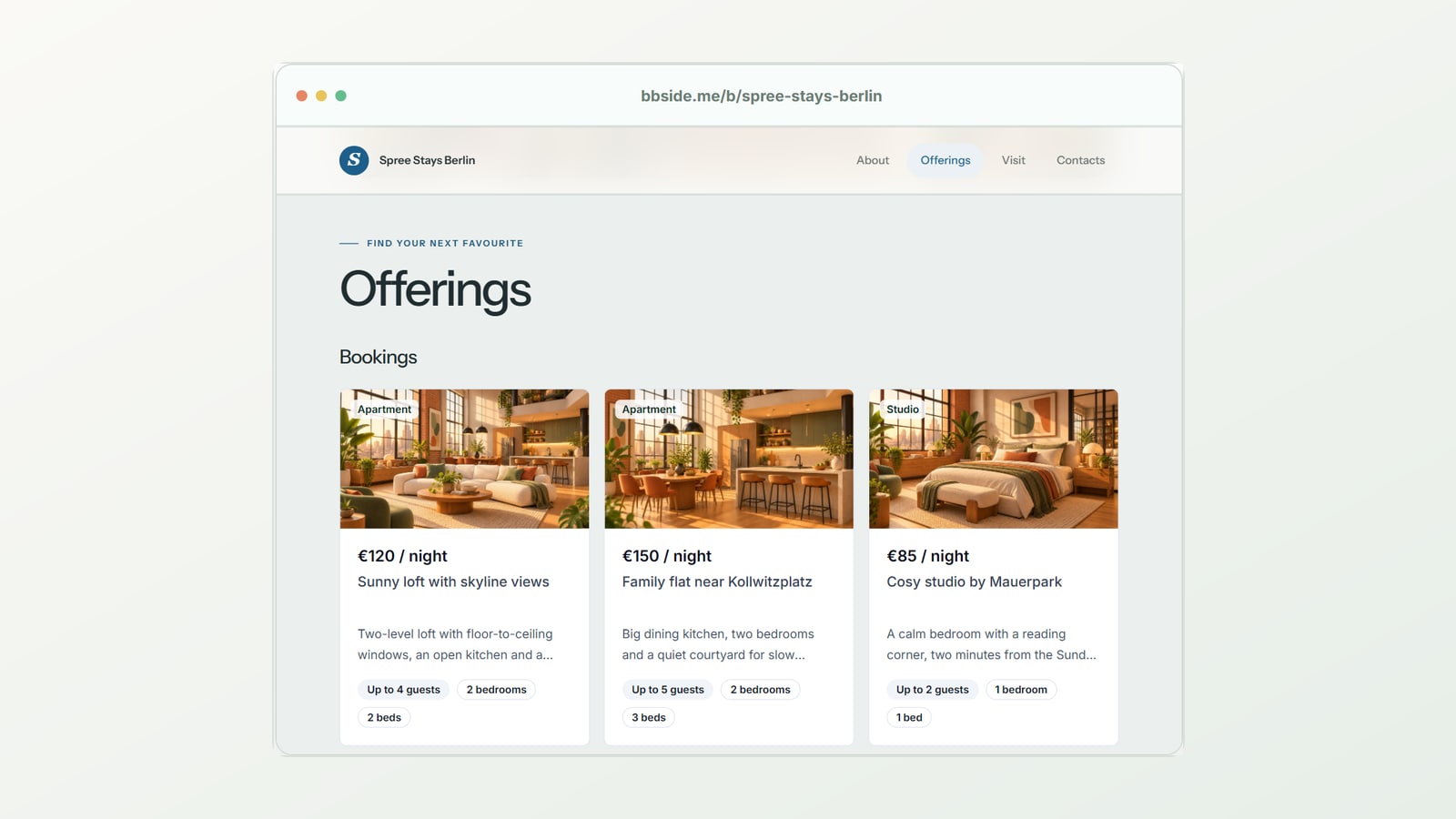
Spree Stays Berlin, our demo host, shows its loft with a photo gallery, a kitchen, two bedrooms and room for up to four guests. The same listing shows where it is on the map and what a night normally costs. Add details that matter to your guests, such as where someone will sleep, whether there are stairs and how to get in if they arrive late.
Give each apartment its own listing if you have more than one. Someone who wants to compare places can start at your host page. A guest asking about one apartment can go straight there from its direct link.
Open the dates you can host
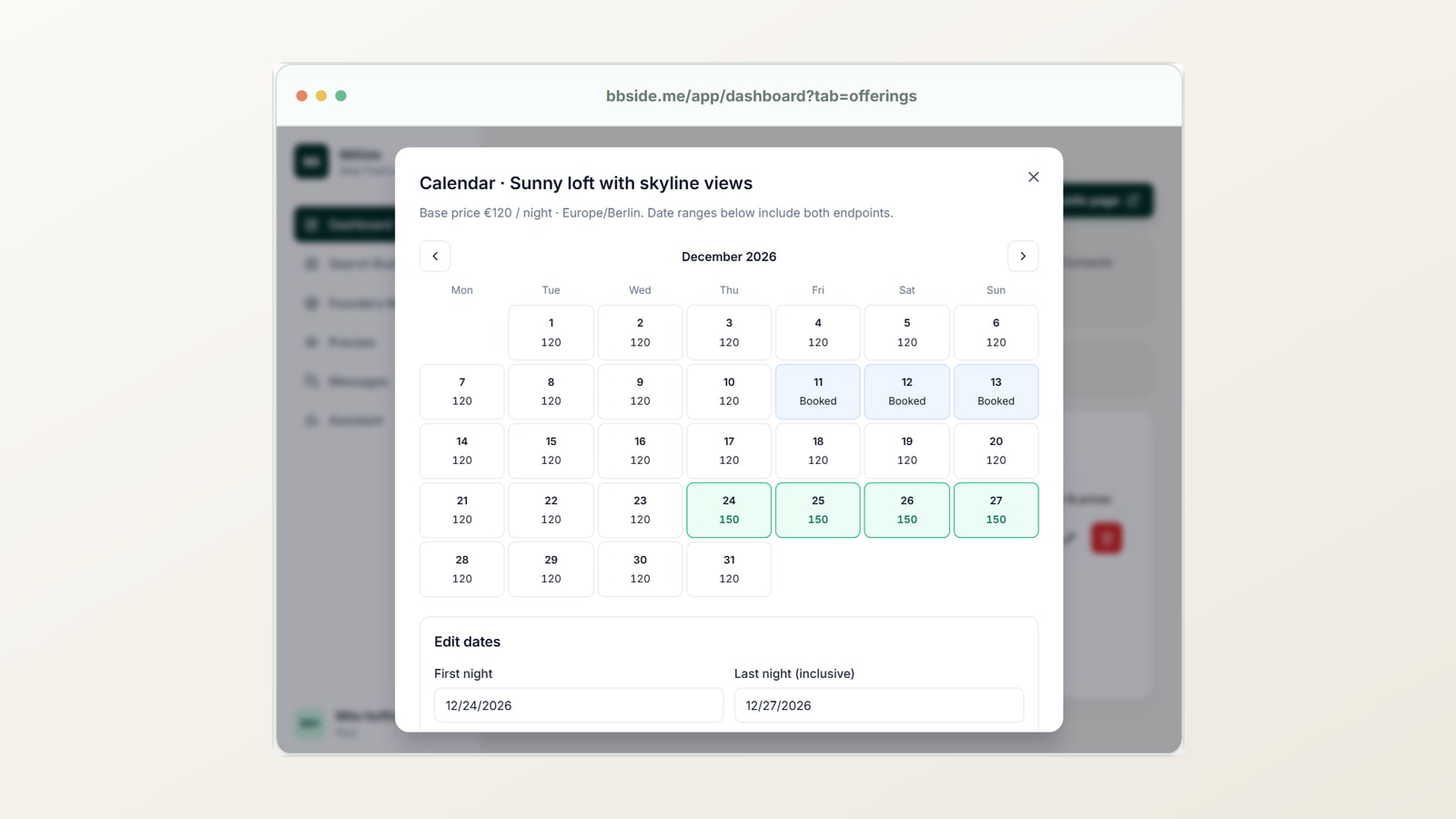
Start with a base price per night and set practical check-in and check-out hours. You can choose how far ahead people can request a stay and set a minimum and maximum number of nights. For example, you might accept a minimum of two nights and keep a few days closed for maintenance.
Each apartment has its own calendar. Keep it up to date when you agree to a stay elsewhere. If you charge a different rate over summer or during an event, set a seasonal or date-specific price. Guests see the total for the dates they choose.
Confirm the stay and tell the guest what comes next
A guest signs in, selects their dates and sends a request with a phone number and their expected arrival window. In Bookings, you can see the apartment, dates, total and guest details together. Confirm the request and the guest receives an email. Those nights are then reserved on your BBSide calendar.
You can follow up with directions, key collection or other arrival details. If you’ve connected Stripe and agree to take payment online, you can send a separate payment link.
Share your direct booking link
Put the apartment link on your website if you have one, in your social profile or in a reply to a direct enquiry. Guests can also find your place through BBSide’s map. Open your public link on a phone to see whether the photos, dates and price answer the questions you usually get first.
See BBSide for Bookings for a walk-through of the listing, calendar and guest request.