Let customers book a service without creating an account
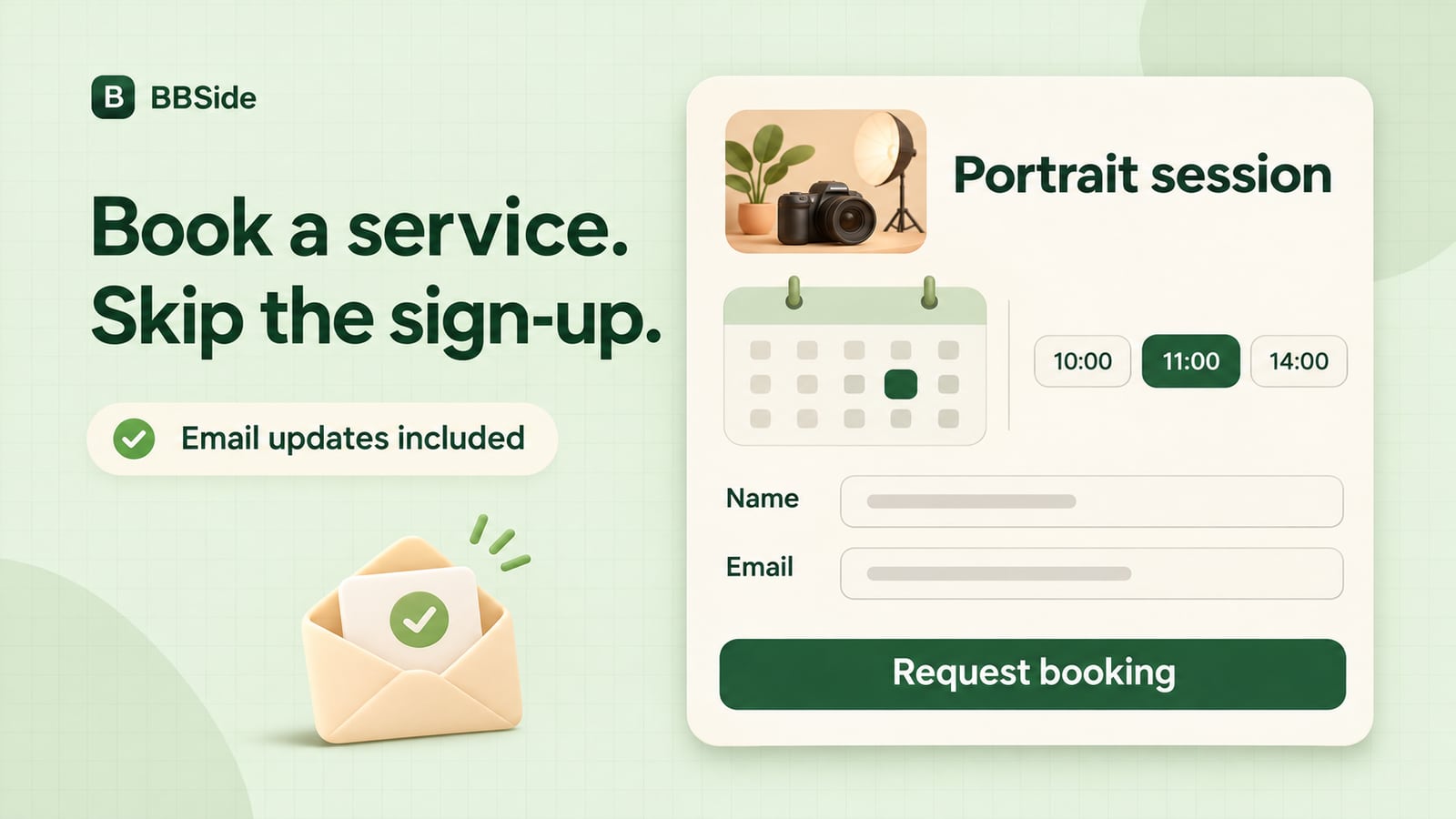
Let customers choose a service and book an appointment on your BBSide page without registering. They receive booking updates by email.
You can share your business page in a message, on social media, or with someone who has just asked about an appointment. They can browse your services, find a time that suits them, and book without creating a BBSide account.
Whether you offer haircuts, lessons, repairs, or photography, customers can arrange their visit from the same page where they found your work and prices.
Choose when you take appointments
Add your services and connect them to a booking calendar. You decide which days and times are available and how far ahead customers can book. If several people work in your business, each can have their own calendar and schedule.
You can also set an advance booking deadline. For example, a photographer who needs time to prepare can ask customers to book at least 12 hours before their session.
Our guide to setting up your page explains the calendar options. Once your page is published, you can share its link or send someone straight to the service they are interested in.
From your page to an appointment
The customer can see your service descriptions, photographs, prices, and appointment lengths before choosing a time.
For example, imagine someone visiting the page of Lumen, our fictional photography studio. They want a new portrait for their work profile. They find the 45-minute portrait session for €60, see that it includes six edited photographs, and choose a Thursday morning appointment.
They can leave a short note with the booking:
I'd like a portrait for my work profile. Would it be OK to bring two different shirts?
The studio receives the appointment request with that note, ready to follow up with the customer.
Keep customers up to date by email
Customers booking without an account provide an email address for booking updates. They can also leave their name, phone number, and a note about their visit.
When you confirm an appointment or update its status, the customer receives an email. You can arrange the booking without asking them to register or keep returning to your page to check for news.
Returning customers can use the same link whenever they want to arrange another visit.
Manage bookings in your dashboard
New appointment requests appear in Bookings in your dashboard. You can see who is coming, which service they have chosen, and when they would like to visit, along with their contact details and notes.
Confirm appointments and manage changes from there. For Lumen, that means seeing the portrait request and the question about clothing together, without having to piece the appointment together from separate messages.
Your active bookings and booking history stay in the same workspace as the rest of your business, alongside your services and product orders.
An account when the customer wants one
Customers who would like to keep track of their bookings across devices can sign in or create a BBSide account. They can also use the platform's chat to stay in touch with businesses.
Registration is optional for booking a service. A customer who simply wants an appointment can choose a time, leave their email, and get on with their day.
If you are still putting your offerings together, see Services, products, or price lists. To create your page, follow our AI page-creation guide.