Restaurant Reservation Software for Direct Bookings
Looking for an OpenTable or TheFork alternative? BBSide gives independent restaurants online menus, direct table requests and one place to manage them.
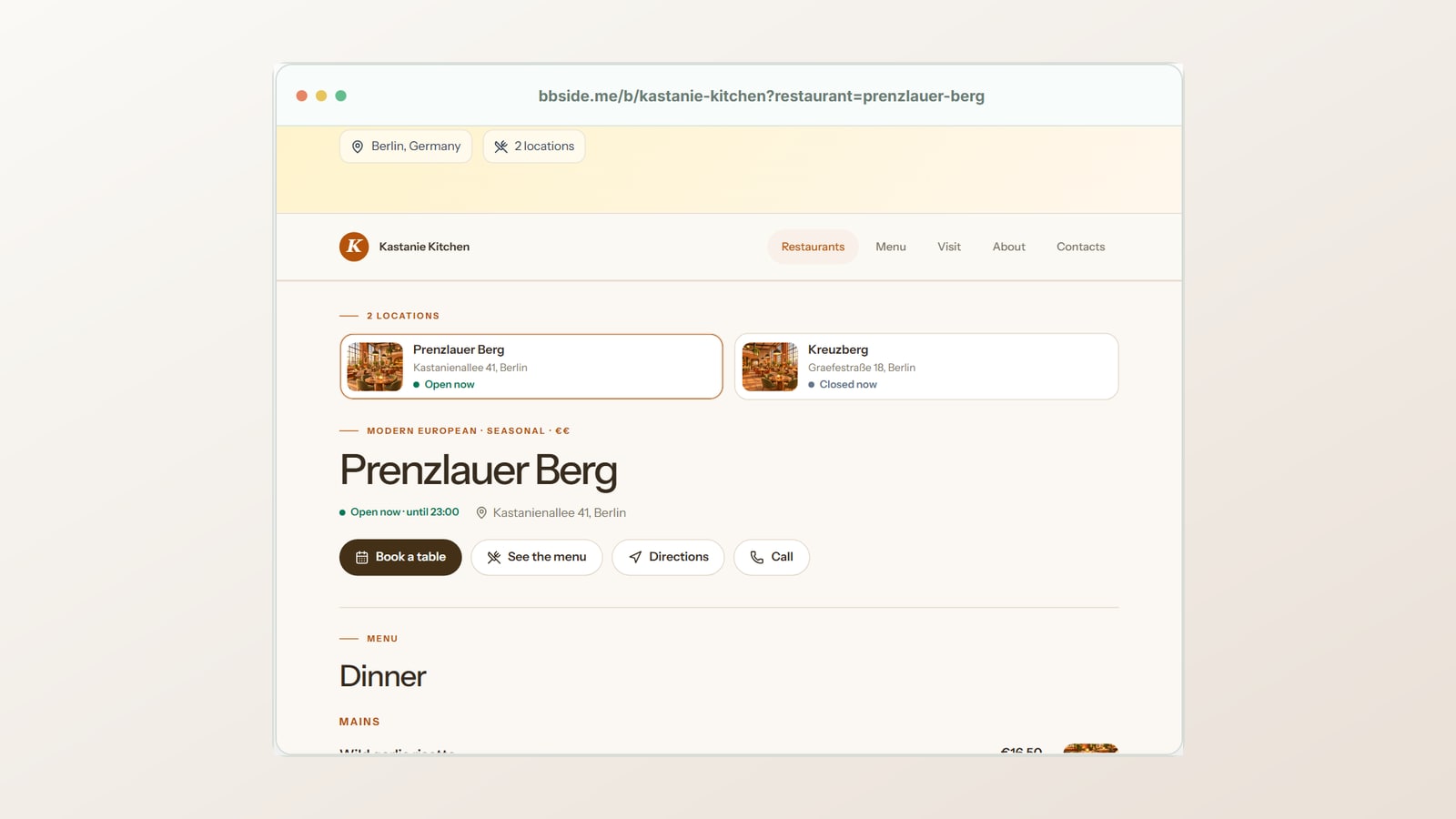
When a guest finds you through a recommendation, your Instagram profile or your website, send them to your restaurant page on BBSide. They can read the menu, see where you are and ask for a table in the same visit. You get the reservation in your dashboard with the details you need to confirm it.
Set up online reservations around your dining room
Tell BBSide how many tables of each type you want to offer online and which parties fit. Set reservation hours and give different party sizes the amount of time they usually need. A couple coming for dinner might stay 90 minutes, while a table of six might need two and a half hours.
Guests see times with room for their party. They leave their contact details and send a request without creating an account. You confirm from your dashboard, and they receive an email. If the kitchen closes before the dining room does, your reservation hours can reflect that while your page still shows your full opening hours.
Give people a reason to book while they’re browsing
A party often chooses a restaurant by looking at the menu first. On BBSide, you can show dishes with photos, prices, portions, ingredients and allergens, and let guests filter the menu as they browse. When the seasonal menu changes or a dish sells out, update it on the page. Guests opening the link you already shared see the new version.
You can use a separate link for the menu or send people straight to the restaurant page with its table booking option. That comes in handy when someone messages “Can I see the menu?” and you want to make the next step easy.
Keep the experience consistent at every location
If you run two restaurants, each can have its own photos, address, phone, opening hours and reservations. Share the menus they have in common and add one just for the location that serves it. Your team can filter the reservation list by restaurant as the requests come in.
With one location, start with your main menu and the tables you already take bookings for. Restaurants are included on BBSide’s paid plans, with more locations available as you grow. You can add Restaurants to an existing BBSide page or create a page for a new venue.
See BBSide for Restaurants in action, then follow the guide to taking direct table reservations to put your first times online.