Present Property Listings with BBSide for Real Estate
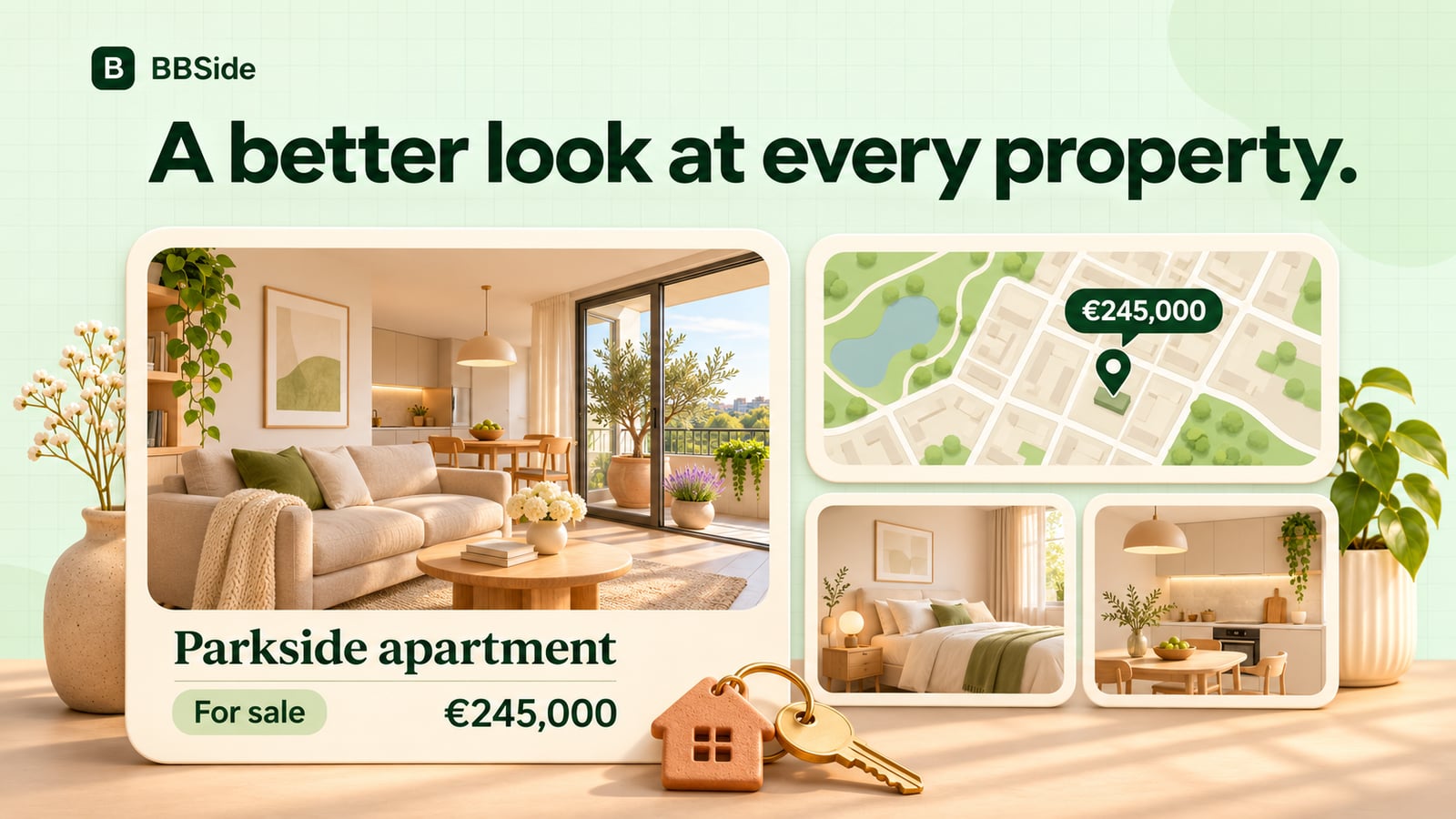
Present properties for sale or rent on your BBSide page, with photographs, clear details, prices, and an exact location on the map.
A buyer often starts with a few practical questions. Where is the property? What does it cost? How much space is there? Can they see enough photographs to decide whether to ask about a viewing?
Your listing can answer those questions before the first conversation. BBSide for Real Estate brings the property details, gallery, location, and your agency together on a page you can share with an interested buyer or tenant.
Help people understand the property at a glance
Give the listing a name that helps someone recognise it later. “Bright flat with a balcony near the park” says more than an internal reference number on its own.
Alongside the description, you can show the property type, area, rooms, and whether it is offered for sale, rent, or both. Optional details cover things people may want to compare, including the floor, building, renovation, parking, and views.
Use the description to explain what makes living or working there appealing. The morning light, the arrangement of the rooms, or access to transport can give the photographs context. Keep the practical details easy to find so someone can judge whether the place meets their needs.
Give each property its own location
An agency may work from one office while representing homes across several neighbourhoods or cities. Each listing has its own city, address, and map pin, so people can see where that property is.
Place the pin carefully and keep the written location consistent with it. Someone comparing two homes can then make sense of the area before asking you for more information.
On the BBSide map, visitors can choose Real estate and explore properties through price markers. Filters help them narrow the search by sale or rent, property type, and other available criteria. Opening a marker leads them towards the listing on your business page.
Build a gallery that answers questions
Each property can have up to 50 photographs. Choose a cover that represents the place clearly, then arrange the gallery so the rest of the property is easy to follow.
For a flat, that could mean the main living space, kitchen, bedrooms, bathroom, balcony, and exterior. For a house, the garden and approach may deserve an early place in the sequence. A useful order lets someone build a picture of the whole property.
You can choose the cover and change the order as you refine the listing. Add the details that photographs alone cannot explain to the description, such as how a room is currently used or what is included in the rental.
Share the right listing in a conversation
Your agency page gives visitors a way to browse all your active properties. Each listing also has a direct link, useful when you have already discussed what someone is looking for.
A short message can point them to the relevant details:
This is the flat we discussed, with the balcony and the separate kitchen. The gallery and location are on the listing. Let me know if you'd like to arrange a viewing.
They can open it on their phone, look through the photographs, and come back to you through your published contacts or a BBSide chat. Your agency's introduction and other listings are there when they want to explore further.
Keep the page current as your portfolio changes
You can edit a price, revise the description, update the gallery, or switch a listing off when it is no longer available. The number of active properties you can publish depends on your BBSide plan.
If you also offer consultations or valuations, you can present those as services on the same business page. A customer who wants help with their own property can discover how to work with you alongside the homes you represent.
Your profile languages can also help customers find an agency they can comfortably speak with. Our guide to language-based discovery explains how that works.
To see the listing presentation and map in context, explore BBSide for Real Estate. Start with a property you know well and give someone enough detail to decide whether they want to see it in person.