How to Manage Online Menus for Multiple Restaurant Locations
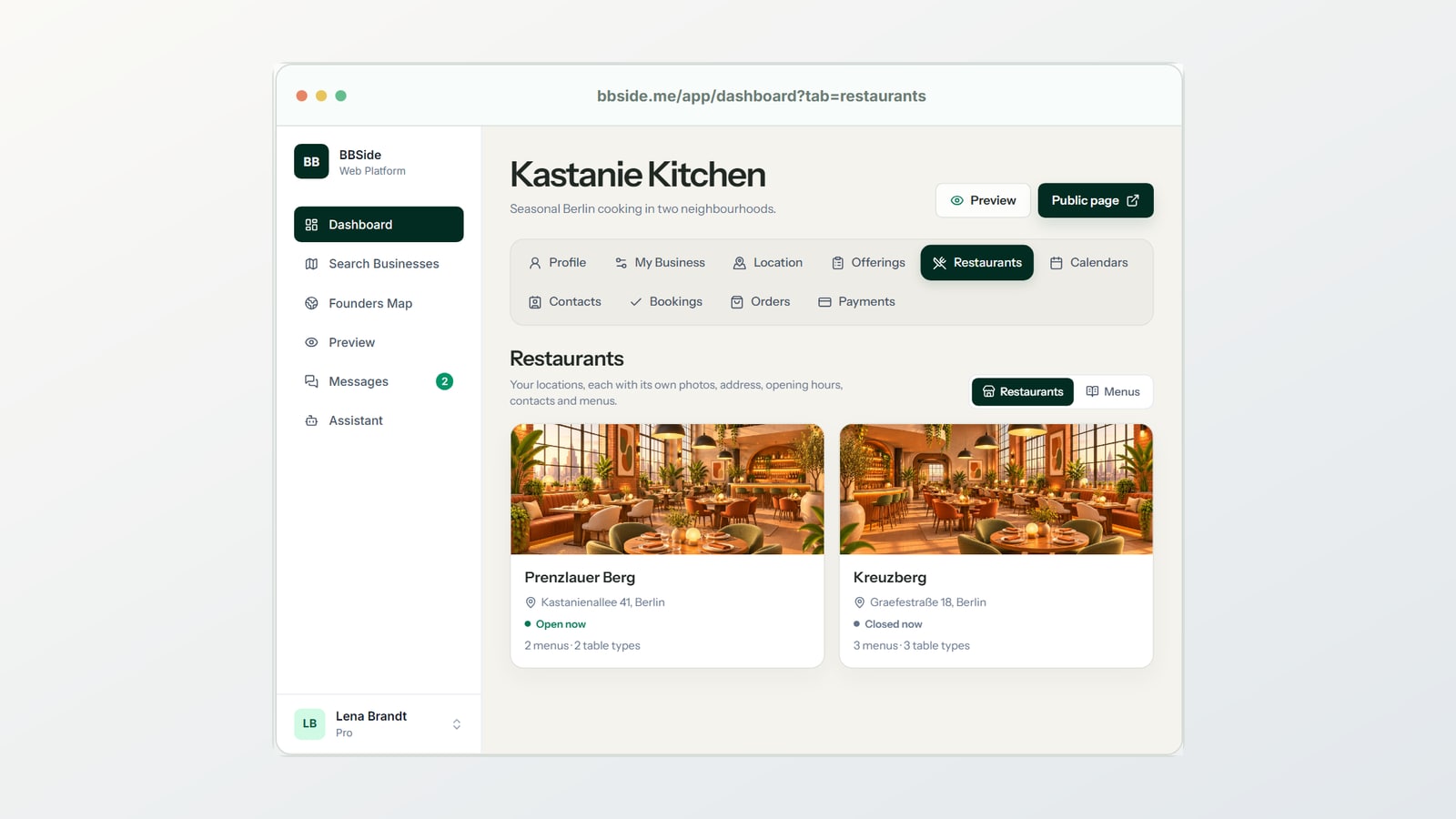
On BBSide, you can share one menu across several restaurant locations and give each venue its own hours, contact details and table reservations.
Kastanie Kitchen serves the same dinner in Prenzlauer Berg and Kreuzberg, but only Kreuzberg serves Sunday brunch. On BBSide, that’s one Dinner menu attached to both restaurants and one Brunch menu attached to Kreuzberg. When the dinner dishes change, the team edits them once.
Share the menus the kitchens have in common
Create the menus you serve in more than one place. For Kastanie Kitchen, that’s Dinner and Drinks. Attach them to both restaurants so guests can read them from either location. If the price of the house lemonade changes at both, update the shared Drinks menu and guests see the new price at both locations.
If two locations serve different dishes or charge different prices, give each location its own version of that menu. A shared menu is most useful when the information should match. Keep the names easy for guests to recognise, especially if you send the links in messages.
Give each venue its own page details
On the same BBSide business page, add a cover photo, address and map pin for each restaurant. Give each one the right phone number and opening hours. Someone looking for Sunday brunch can see which location serves it, get directions and call the right team if they’re running late.
Each restaurant has a direct link. Use the Kreuzberg link for the Kreuzberg profile and the Prenzlauer Berg link when replying to an enquiry about that restaurant. You can also share a link straight to a menu.
Run reservations separately for each dining room
Give each location its own tables and reservation hours. A smaller restaurant might take bookings for two and four while the other has room for larger parties. Guests request a table at the location they’re viewing, and you can filter the reservation list in BBSide by restaurant before a shift.
On BBSide’s paid plans, the location allowance depends on the plan. If you’re setting up a second venue, start with the menus you already share, then fill in its address, hours and tables. See how the locations work together on BBSide, and use the direct reservations guide when you’re ready to take requests.