A Founder Profile That Tells the Story Behind Your Projects
Bring your projects together on a BBSide founder profile, with your story, a Founder Passport, and a place on the Founders Map.
One project is live, another is taking shape, and there is an idea you keep coming back to. They may each have a different name and website, but the person behind them is you.
A founder profile gives people one place to discover that work. On BBSide, you can introduce yourself, show what you have launched and what you are building, and share a page that grows as you make more things.
Give people a sense of who you are
Your introduction can be as straightforward as the way you would introduce yourself to another founder. Say what you build, who you build it for, and what has your attention at the moment.
You might be a developer making tools for independent shops, a designer experimenting with templates, or someone working on their first app alongside a day job. Those details give your projects context and make it easier for someone to start a conversation.
Your name, profile photograph, location, and About help make the page yours. Add the contact methods you are happy to share so someone who likes your work can reach you.
Show where each project stands
Add your projects under Offerings → Projects. Each can have its own name, description, website link, and stage: Idea, Building, or Launched. For a launched project, you can also record its launch date.
The stage gives visitors a useful expectation. A live product is ready to explore. A project you are building invites a different kind of interest, such as feedback or a conversation with someone working on a similar problem.
In the description, explain what the project helps people do. A sentence such as “A simple way for independent bookshops to organise customer reservations” gives someone a reason to open the link.
You can add technology or topic tags to show the tools you work with and the areas you care about. Choose the ones that describe the project well enough to be useful to another person browsing your work.
Let the Founder Passport tell part of the story
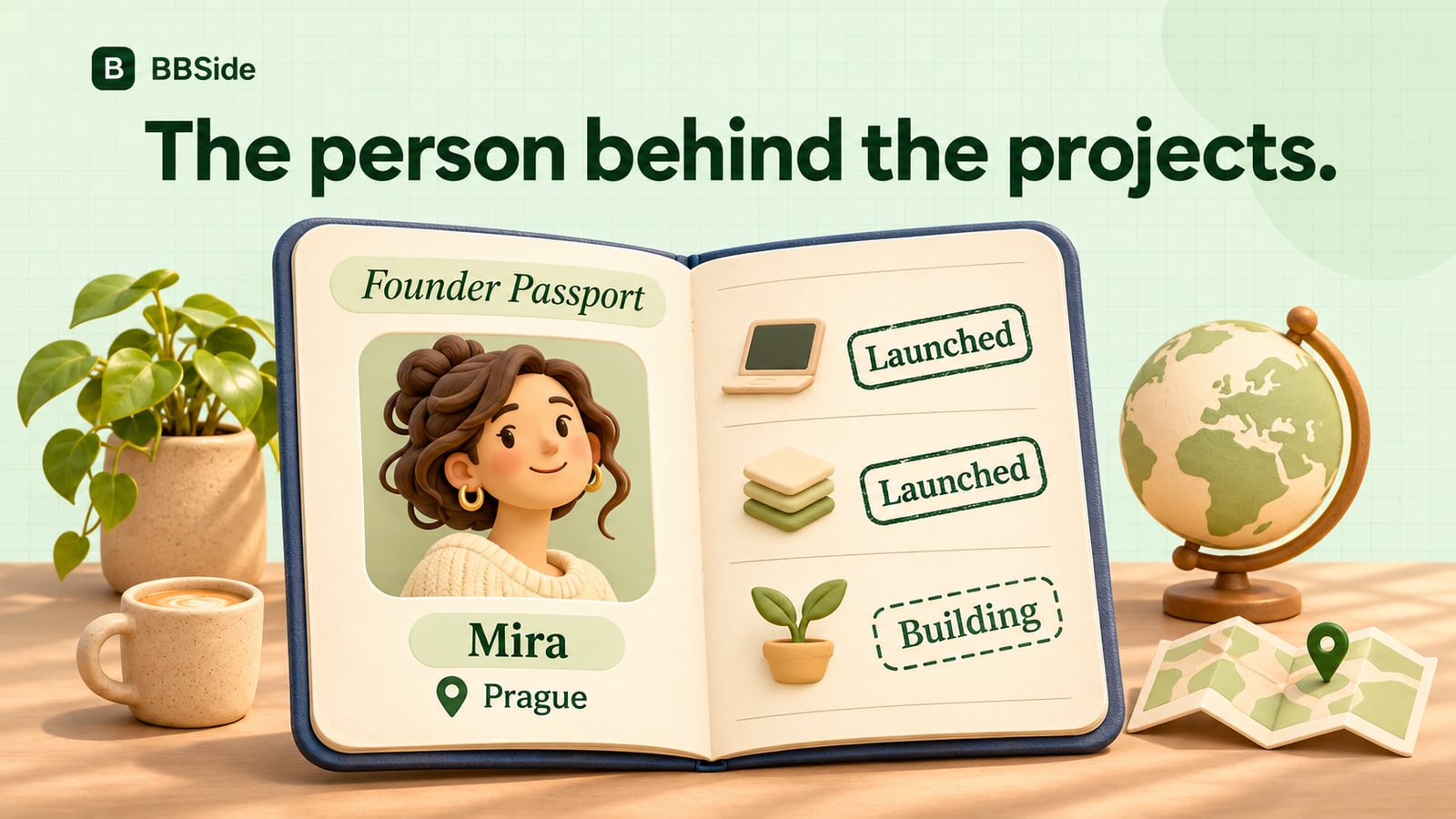
The founder view presents your profile as an open passport. It brings together your name, where you are based, your launch history, and the stack represented across your projects.
Launched projects appear as stamps, with a different treatment for work still being built. As you add projects and record launches, the passport becomes a visual history of what you have been making.
Below it, visitors can explore your project cards, read the details, and follow the links to the projects themselves. Filters help them browse live work, things in progress, and ideas.
That combination works well when your projects span different interests. Someone can discover a useful tool, then learn about the other work behind it without hunting through old launch posts.
Share one page as your work changes
Your founder page is useful in a social bio, a message to a potential collaborator, or a launch announcement. The projects link takes people straight to your work.
When a project moves from building to launched, update its stage and add the launch date. You can revise the description as the product develops and arrange the projects in the order you want people to discover them.
The same profile remains a home for your next project. A person who found you through one launch can return later and see what you have added.
Meet people through the Founders Map
The Founders Map lets people browse founders around the world and open their pages. Your location gives someone nearby a way to discover your work, while the projects give you something concrete to talk about.
You could use it to explore who is building in your city, find a project that catches your interest, or introduce yourself to someone whose work overlaps with yours. The page supplies the background before the conversation begins.
If you already have a project in mind, start with a clear description and its current stage. Our overview of BBSide for Founders shows the passport and project presentation, and the Founders Map lets you explore the people already using it.